Wedding RSVP
From invitation link to guest list.
Guests open your invitation and RSVP in their browser. You see responses and attendance totals in your dashboard.
Try building free- 01
Share your link or QR
Guests need no app or account. The same link includes your event details, RSVP and Waze and Google Maps directions.
- 02
Guests confirm attendance
Guests enter their attendance and headcount for the relevant events. Dashboard totals help you plan your celebration.
- 03
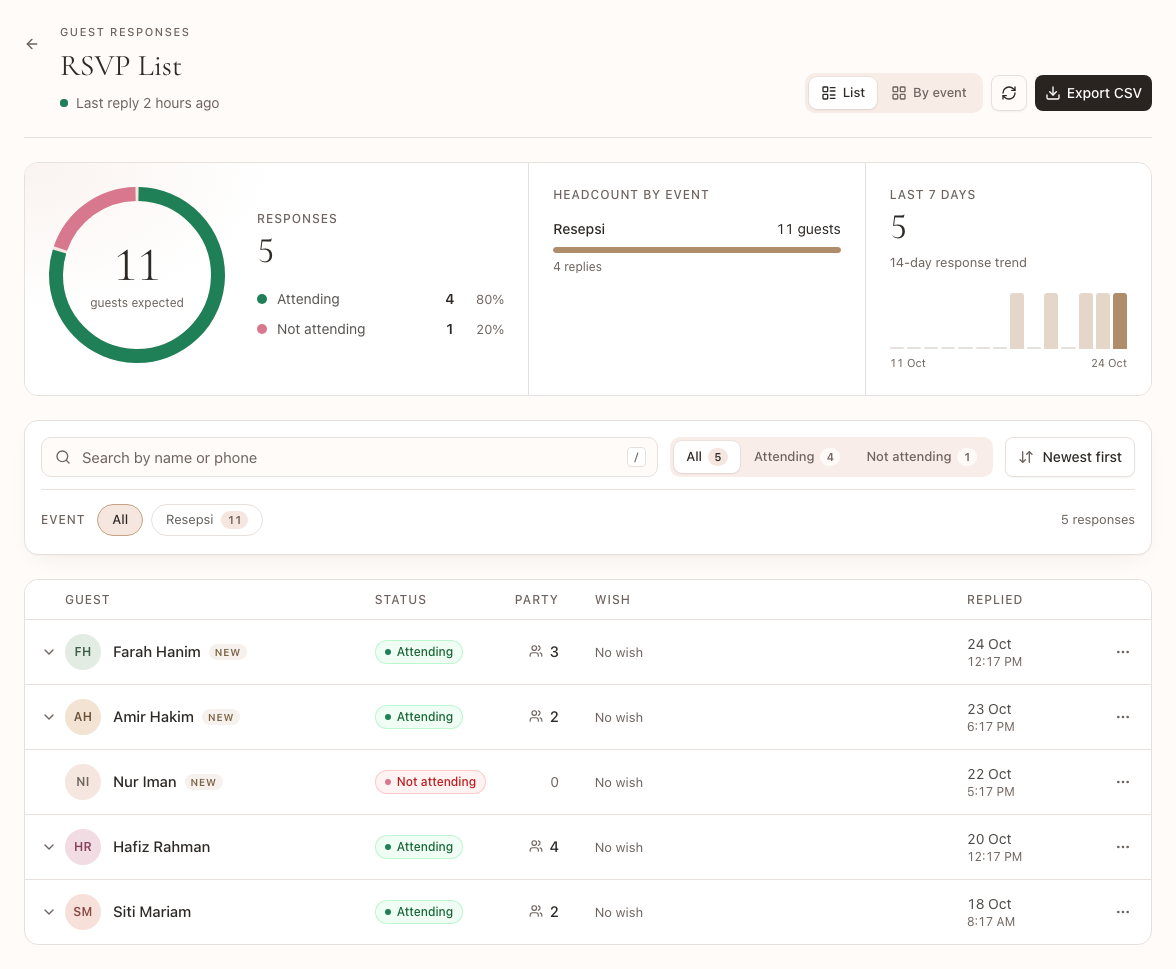
Manage responses in your dashboard
Free shows full attendance totals and details for your first 5 responses. Standard and Premium include every response's details and CSV export. Upgrading keeps existing responses.
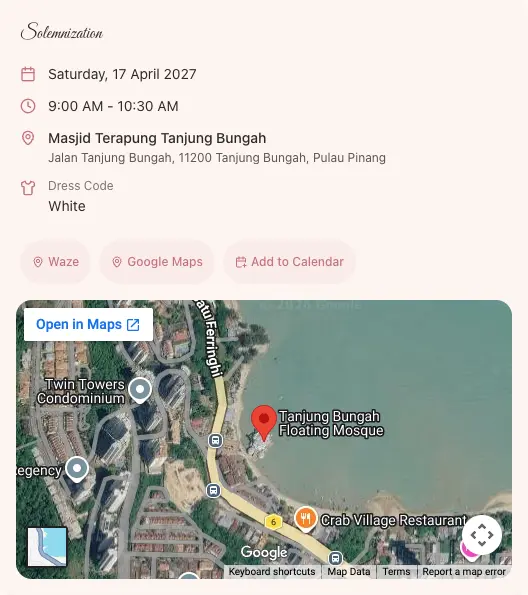
Event details in one link
Edit the invitation after sharing and guests keep the same link. If you prefer a separate form first, our Google Forms guide explains the process and its limits.
See responses in your dashboard
A Standard dashboard with fictional names and responses. Attendance totals, event filters and CSV export are in one view. Full individual details and CSV require Standard or Premium.
Your invitation starts
with a design.
Try without signing up. Create a free account when you are ready to publish.